If you’ve ever bought a sticker or label design from Etsy, you’re not alone.
It’s one of the fastest ways for small businesses to get started with branding.
You find a design… download it… open it in Canva… and think you’re ready to print.
But here’s the thing most people in Canada realize a little too late:
Not all Etsy designs are print-ready.
And if you skip a few key steps, you can end up with blurry stickers, wrong colors, or wasted money on reprints.
This guide will show you exactly how to print Etsy designs properly, whether you’re creating stickers, labels, or packaging.
Why Etsy Is Popular for Sticker & Label Designs


Etsy has become a go-to platform for:
- Sticker templates
- Product labels
- Packaging designs
- Small business branding kits
And honestly… it makes sense.
You get:
- Variety of style (Etsy has different resellers)
- Instant downloads
- Editable templates
- Fast turnaround
For startups and small businesses, it’s a practical way to test ideas without hiring a designer.
Are Etsy Designs Print-Ready?
Short answer: sometimes… but usually not fully.
Most Etsy designs are created for flexibility, not production printing.
That means they often need adjustments before they’re ready for:
- Sticker printing
- Product labels
- Packaging runs
Common Problems When Printing Etsy Designs


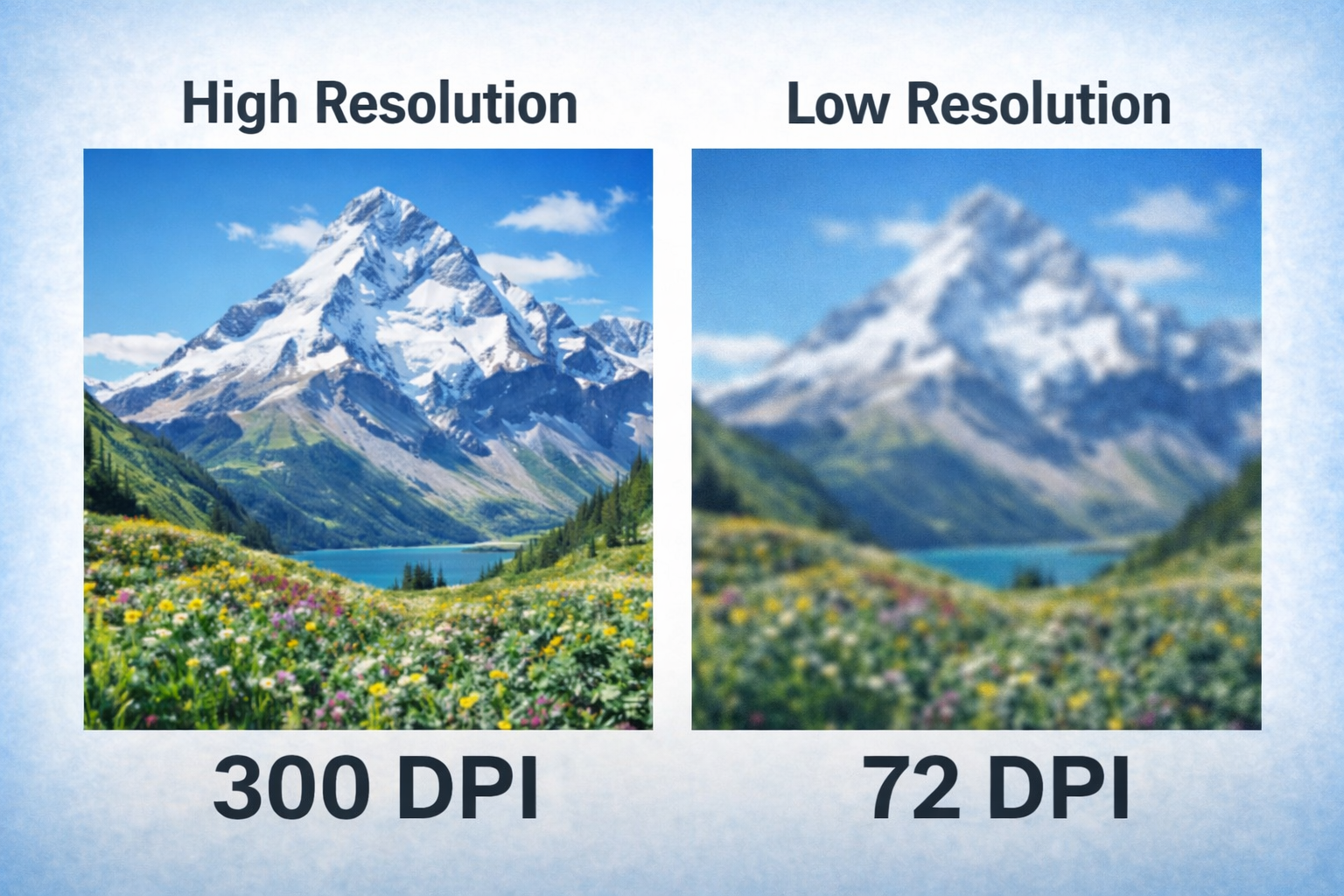
1. Low Resolution (Blurry Prints)
Many files are not set to 300 DPI, which is required for high-quality printing.
2. RGB Instead of CMYK
Designs made for screens don’t always translate correctly to print.
Result:
- Colors appear dull
- Or completely different
3. No Bleed Setup
Without bleed, your design can shift during cutting, leaving white edges.
4. Incorrect Sizing
The file dimensions don’t match your intended print size.
5. Missing Fonts or Linked Elements
Some files rely on fonts or images you don’t have access to.
How to Prepare an Etsy Design for Printing
If you want clean, professional results, your file needs to be set up properly.
Step 1: Use the Right File Format
Ideal formats:
- PDF (print-ready)
- AI / EPS (vector files)
- PNG (300 DPI minimum)
Step 2: Confirm Final Size
Make sure your design matches your exact print dimensions.
Step 3: Add Bleed (0.125″)
This ensures clean trimming with no white borders.
Step 4: Convert to CMYK
Essential for accurate print colors.
Step 5: Outline Fonts
Prevents font replacement issues.
Step 6: Add Cut Lines for Stickers
Required for:
- Die-cut stickers
- Custom shapes
Printing Etsy Designs in Canada: What You Should Know
If you’re printing in Canada (especially in the GTA or Brampton area), there are a few extra things to consider:
- Material quality varies between suppliers
- Weather resistance matters for outdoor stickers
- Adhesive strength affects durability
- Bulk printing requires consistent file setup
Working with a local print shop helps avoid delays, especially if adjustments are needed.
DIY vs Professional Printing
DIY Works If:
- You’re testing a product
- You need small quantities
- Budget is tight
Professional Printing Is Better When:
- You’re selling products commercially
- You want premium packaging
- You need consistency across batches
- You’re scaling your business
Because at that stage… quality directly impacts how customers see your brand.
How Ron Russ Print Helps
At Ron Russ Print, we work with customers across Brampton and the GTA who already have designs from Etsy or other platforms.
Instead of starting from scratch, we:
- Fix resolution issues
- Adjust colors for print accuracy
- Add bleed and cut lines
- Resize designs properly
- Prepare files for production
So your stickers, labels, and packaging come out exactly how you expect.
Final Thoughts: Don’t Let a Good Design Go to Waste
Buying a design from Etsy is a smart move.
But printing is a different process entirely.
If you take a few extra steps—or get help where needed—you can turn a simple digital download into a high-quality finished product.
Need Help Printing Your Etsy Design?
If you already purchased a design and want to print it professionally, we can help.
Send your file and we’ll let you know:
- If it’s print-ready
- What needs to be adjusted
- The best printing options for your project
Ron Russ Print
Sticker Printing • Labels • Packaging • Custom Printing in Brampton & GTA